
Contents
- Build a continuity brief before generating
- Plan shots by production risk
- Reuse the master source and change one variable at a time
- Review every clip at the cut
- Keep a manifest that supports revision A convincing short clip can fall apart as soon as it is placed beside another. The face becomes narrower, a collar changes shape, the key light switches sides, or the camera looks down on a character who was previously filmed at eye level. Each shot may appear polished alone, yet the cut reveals that they do not belong to one sequence.
For this workflow, continuity is working when identity, wardrobe, lighting, eyeline, motion, and scene geometry pass through adjacent playback without calling attention to the edit.
MuseBox approaches that problem as an independent, model-agnostic editorial guide. Its current homepage links onward to an external generator, while the MuseBox About page states that the publication itself does not host generation. Its value here is the production method: define stable details, test difficult shots early, control changes, and review clips in context.
Build a continuity brief before generating
Start with one approved master reference and a written record of everything that must remain stable. Do this before writing individual shot prompts. If each prompt independently describes the character and location, every generation gets another opportunity to reinterpret them.
A practical continuity brief should cover:
| Anchor | Record before generation | Check in every clip |
|---|---|---|
| Character | Face shape, hairline, hairstyle, skin tone, defining features | Proportional changes, texture drift, profile, apparent age |
| Wardrobe | Garment type, color, neckline, sleeves, accessories | Missing details, altered silhouette, color shifts |
| Lighting | Key-light side, softness, temperature, contrast | Reversed shadows, changed mood, false time-of-day shift |
| Camera | Height, framing, perspective, movement direction | Perspective jumps, broken eyelines, inconsistent scale |
| Scene | Layout, palette, doors, furniture, important props | Moving objects, distorted lines, changed spatial relationships |
Wardrobe is not merely decoration. The MuseBox continuity guide identifies it as an identity signal because clothing constrains both silhouette and color distribution. Even a reasonably stable face may read as a different character when a collar, sleeve, accessory, or fabric tone changes at the cut.
Separate fixed details from intentional changes. If the story moves to another outfit, location, or lighting setup, create a new continuity block rather than quietly modifying the original brief. Reviewers can then distinguish a planned transition from generation drift.
Reference quality also matters. Runway recommends neutral, evenly lit character inputs and documents ways to combine character and scene references in its Gen-4 Image References guide. Those controls are specific to Runway, but the preparation lesson is broader: a clear frontal or three-quarter reference is easier to reuse than an image with hidden facial features, extreme perspective, motion blur, or conflicting dramatic light.
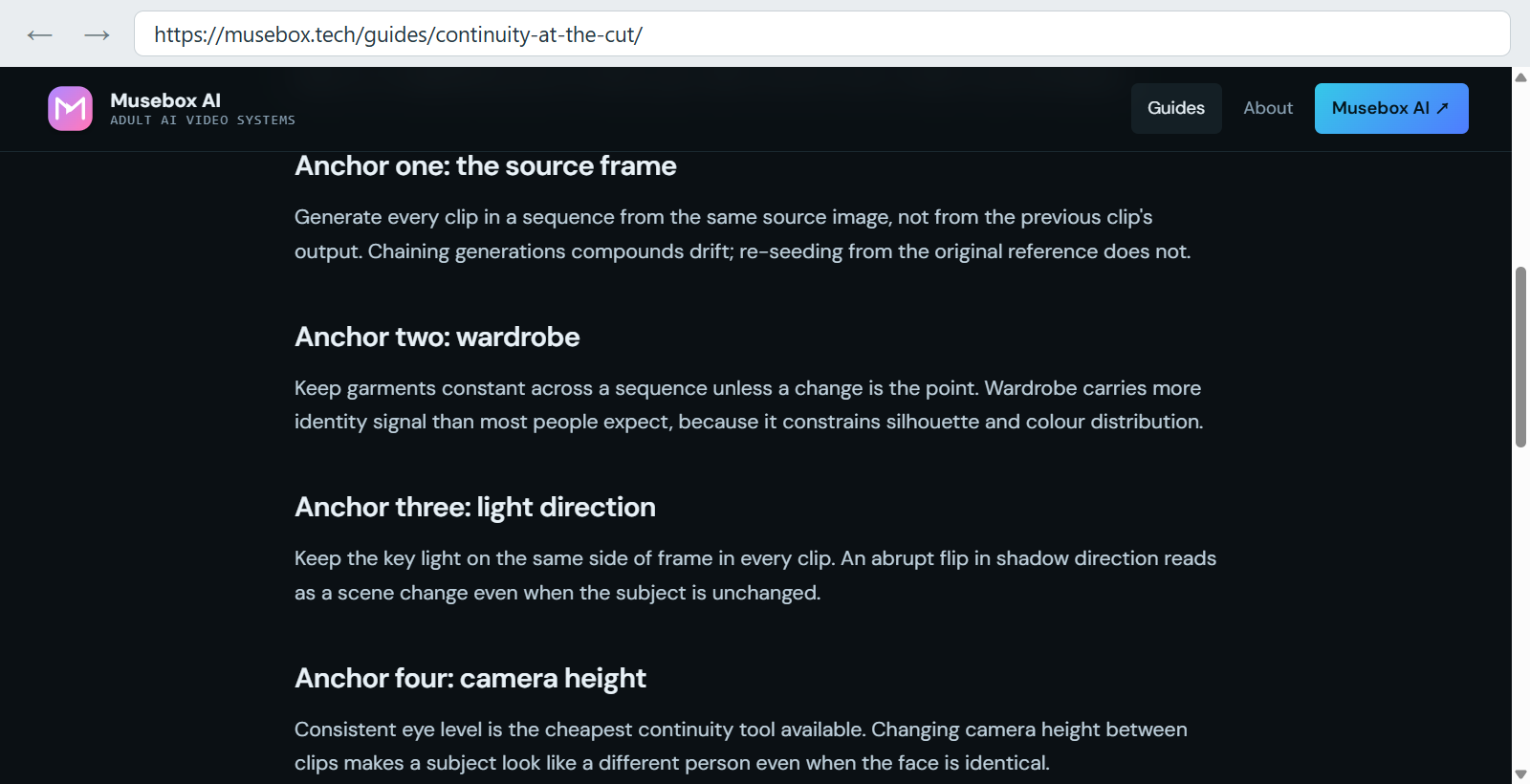
MuseBox identifies four practical anchors for limiting continuity drift between generated clips.
Plan shots by production risk
Write one line for each intended clip before generating it. At minimum, record the subject’s action, the camera behavior, and the target duration—the three fields recommended in the MuseBox sequence-planning guide. Add the continuity details most vulnerable in that shot.
A compact plan could read:
- Medium shot: character turns toward camera; locked camera; three seconds; soft key light from frame left.
- Close-up: character completes the turn; slow push-in; two seconds; preserve hairline, collar, and eyeline.
- Wide shot: character crosses the room; lateral tracking; four seconds; preserve outfit silhouette and doorway position.
- Insert: hand reaches for an object; static camera; two seconds; match the movement direction from the wide shot.
This is a planning template, not a claimed test result. Its purpose is to expose dependencies before generation begins. The close-up and crossing shot carry more risk than the insert: one makes small identity changes conspicuous, while the other combines full-body motion, clothing, camera movement, and background geometry.
Generate the highest-risk essential shot first. If the selected Adults 18+ AI video generator cannot maintain the character during that action, discovering the limitation early is more useful than accumulating several easy shots that no longer fit the sequence.
Assign an attempt allowance to each shot rather than one budget to the entire project. When a clip repeatedly reaches its limit, simplify one element: reduce the motion, loosen the framing, shorten the duration, strengthen the reference, or divide the action across two shots. Generate inserts, establishing views, and transitions after approving the principal clips so their framing responds to material that actually exists.
A larger production demonstrates why planning and references remain important even when sophisticated tools are available. For the short film ANCESTRA, the production team used storyboards, reference photography, key concept art, image-to-video animation, motion matching, VFX compositing, and color grading, according to Google DeepMind’s production account. Continuity was therefore not treated as the automatic result of one prompt; it was maintained across several production stages.
That case involved a multidisciplinary team and a hybrid live-action workflow, so it is not a benchmark for an ordinary consumer generator. Its practical lesson is still relevant: references establish the visual target, while animation, matching, compositing, and grading solve different parts of the continuity problem. When adjacent generated clips disagree, repeatedly changing the prompt is not always the right remedy; the join may need a different shot design or an editorial fix.
Reuse the master source and change one variable at a time
In a standard image-to-video workflow, begin each clip from the approved master reference rather than using one generated clip as the source for the next. MuseBox notes that separate generations remain independent interpretations even when they share an input. Hairline, jaw width, and skin tone can still vary, but chaining outputs also carries one clip’s errors into every later attempt.
Some generators offer character references, reusable ingredients, first and last frames, composition references, motion references, or seeds. Check the current documentation before building a plan around them because those controls may not work together.
Adobe provides a concrete example: in its documented Firefly workflow, adding an image keyframe disables composition reference, and uploaded reference videos must satisfy specific requirements. The interaction is described in Adobe’s composition-reference instructions. A shot plan that assumes simultaneous use of both controls would fail before rendering.
Keep the wording for appearance, wardrobe, light direction, camera height, room layout, palette, and movement consistent. Change only what the next shot requires. Replacing “eye-level medium shot, soft window light from frame left” with an underspecified “cinematic close-up” invites the model to redesign both perspective and illumination.
Treat seeds as diagnostic controls, not identity locks. The MuseBox reproducibility guide explains that identical inputs with a fixed seed may produce a similar result, but the pipeline is not deterministic and service backends can change. A seed cannot repair an unsuitable source image or an action the model cannot express.
Fix the seed while changing the prompt to examine instruction sensitivity. Keep the prompt fixed while varying the seed to observe run-to-run variation. Change the source while holding both steady to evaluate the input. This discipline makes the cause of a result easier to identify.
Review every clip at the cut
Do not approve clips only in isolation. Place each proposed pair together and loop the join. Watch once at normal speed, then compare the last clear frame before the cut with the first clear frame after it.
Check the pair in a consistent order:
- Face shape, hairline, skin tone, and apparent age.
- Garment edges, colors, fasteners, and accessories.
- Key-light side, shadow density, and color temperature.
- Camera height, subject scale, eyeline, and movement direction.
- Background geometry and important object positions.
This order prevents an appealing performance from hiding structural errors. A small facial discrepancy may pass during fast movement, while a reversed shadow, broken eyeline, or relocated doorway can announce the edit immediately.
When the mismatch is modest, edit around it. MuseBox recommends cutting during a turn, step, gesture, or other motion because still moments expose differences more clearly. Match the direction and approximate speed on both sides, then trim until the movement carries attention through the cut. A neutral insert can bridge two otherwise useful views that refuse to join cleanly.
Regenerate when the mismatch changes identity, reverses lighting without a story reason, breaks screen direction, or relocates important scene geometry. Trimming can conceal a minor collar variation during movement; it cannot make two visibly different faces feel like the same character.
Keep a manifest that supports revision
Record the source reference, full prompt or template, exposed seed, model label, date, attempt number, and verdict for every generation. Add a short rejection reason such as “jaw drift,” “key light moved right,” or “doorway changed position.” The MuseBox planning method includes the source, prompt or template, seed, attempt number, and verdict; recording the model and date adds context if a provider later changes its backend.
Use three practical verdicts:
- Accept: The clip remains credible beside both neighboring shots.
- Edit: Trimming, reframing, grading, or a motivated cut resolves the discrepancy.
- Regenerate: The identity or scene error remains visible through the edit.
The manifest turns impressions into evidence. If several close-ups alter the same facial feature, revise the reference or framing. If wide shots repeatedly lose small garment details, simplify the design or stop depending on details that occupy too few pixels. If elaborate movement causes drift while restrained actions remain coherent, divide the movement and cover the join.
For a multi-clip Adults 18+ project, the best AI video generator is not necessarily the one that produces the most impressive standalone frame. Its reference support, compatible controls, attempt cost, and revision traceability must fit the sequence. MuseBox provides a practical way to judge that fit: define the anchors, test the riskiest shot, reuse controlled inputs, inspect adjacent clips, and preserve enough information to revise the result.